You are picking a payment gateway for your WooCommerce store, and every guide you open ranks them by the percentage they charge. That number matters, but it is the easiest thing to compare and the least likely to decide whether your checkout converts.
Two things get skipped almost everywhere, and both of them outweigh the rate. The first is whether the customer stays on your site to pay or gets sent somewhere else, which moves conversion far more than a tenth of a percent on the rate. The second is what the gateway does to your checkout page once it is installed, because every one of them loads its own scripts there.
This guide covers both of those alongside the rates themselves. Every figure below was checked against the provider's own pricing page on 20 September 2026, and where a provider does not publish a rate that a plain page request can read, the pricing model is described instead of a number being invented.
Table of Contents
- How WooCommerce payment gateways actually charge you
- Does the customer leave your site to pay?
- Who carries the compliance burden
- The gateways worth considering
- 1. WooPayments
- 2. Stripe
- 3. PayPal
- 4. Square
- 5. Mollie
- 6. Amazon Pay
- 7. Authorize.net
- What a gateway does to your checkout page
- Tell customers which payments you accept
- How to set up a gateway in WooCommerce
- FAQs about WooCommerce payment gateways
- Final thoughts on WooCommerce payment gateways
How WooCommerce payment gateways actually charge you
WooCommerce charges you nothing for taking payments. Your gateway does, and there are three charging models in common use.
The first is per-transaction only, where you pay a percentage of each sale plus a small fixed fee and nothing else. Stripe, PayPal and WooPayments all work this way, and it suits stores with uneven or low volume because a quiet month costs nothing. The second is a monthly fee plus a per-transaction rate, which Authorize.net uses on its all-in-one plan. That model gets cheaper per sale at volume and more expensive per sale when the store is small. The third model layers a platform fee on top of the processing fee, which some hosted store platforms apply when you bring your own processor, and WooCommerce never does this to you.
One more cost hides outside the rate card, and it is easy to miss when you are comparing percentages. Several gateways need their own plugin installed alongside WooCommerce, and that plugin becomes something you maintain, update and debug. A gateway that is built in costs you nothing on that line. If you are auditing what else is running on your store, our guide to the best WooCommerce plugins covers the rest of the stack.
Does the customer leave your site to pay?
This is the question the rate comparisons skip, and it changes conversion more than the rate does. Gateways handle it in three different ways.
On-site with hosted fields puts the card form on your own checkout page, with the fields themselves served by the gateway inside an iframe. The shopper never leaves, and the card number never touches your server. Stripe, WooPayments and Square all work this way in their current WooCommerce integrations.
With a redirect, your customer is sent to the gateway's own domain, pays there, and comes back. Classic PayPal Standard behaves like this, as do most bank-transfer methods. Every redirect gives somebody a place to abandon, and the return trip is where mobile checkouts lose the most people.
The third option, self-hosted fields, posts card details through your own server before they reach the gateway. Almost nothing does this any more, and the next section explains why.
The practical read comes down to one rule. Hosted fields on your own checkout give you the shortest path and the least compliance exposure, so treat a redirect as a cost even when the rate looks better.
Who carries the compliance burden
Card payments fall under PCI DSS, and how your gateway is wired decides how much of that standard lands on you.
When the card fields are served by the gateway inside an iframe, the card data never reaches your hosting, and your store qualifies for the lightest self-assessment questionnaire. When your own server handles raw card numbers, you inherit a much heavier assessment, along with the obligation to prove it annually. For a small store, that difference is the difference between a short form and a project.
Two things stay on you regardless of which gateway you choose, and no gateway covers either one. You need HTTPS across the whole site rather than only the checkout page, and you need to keep WordPress, WooCommerce and every plugin patched.
The gateways worth considering
These are ranked for a typical WooCommerce store selling to customers online. Rates come from each provider's own pricing page, checked on 20 September 2026, and they are US list rates unless stated. Your own rate can differ by country, by volume and by card type.
| Gateway | How it charges | Customer stays on your site? | Best for |
|---|---|---|---|
| WooPayments | 2.9% + $0.30 per transaction, no monthly fee | Yes, hosted fields | Most stores, as the default |
| Stripe | 2.9% + 30¢ per transaction, no monthly fee | Yes, hosted fields | Control, global reach and developer work |
| PayPal | 2.9% plus a fixed fee per transaction | Depends on the method used | Buyer familiarity and cross-border sales |
| Square | 2.9% + 30¢ online, from 2.6% + 15¢ in person | Yes, hosted fields | Stores that also sell face to face |
| Mollie | Per-transaction, priced per payment method | Depends on the method used | European stores needing local methods |
| Amazon Pay | Per-transaction, no monthly fee | Partly, checkout runs through Amazon | Cutting form filling for Amazon shoppers |
| Authorize.net | $25 a month plus 2.9% + 30¢, or $0 a month with your own merchant account | Yes, hosted fields | Stores with an existing merchant account |
1. WooPayments
WooPayments is the payment gateway built and maintained by WooCommerce itself, and for most stores it is the sensible starting point because it removes an entire plugin from your maintenance list.
Setup happens inside WooCommerce rather than in a third-party dashboard, and payouts, disputes and refunds are all handled from the WordPress admin. Card fields are hosted, so the shopper stays on your checkout and your PCI scope stays light.
- No extra plugin: it ships with WooCommerce, so there is nothing separate to install, update or debug
- One dashboard: payments, orders, disputes and refunds are all managed inside wp-admin
- Express checkout: Apple Pay, Google Pay and WooPay are available from the same integration, with WooPay limited to the US
- Local methods: iDEAL, P24, EPS and Bancontact are supported for European customers
- In-person payments: the Woo Mobile App adds Tap to Pay on iPhone and Android without a separate terminal
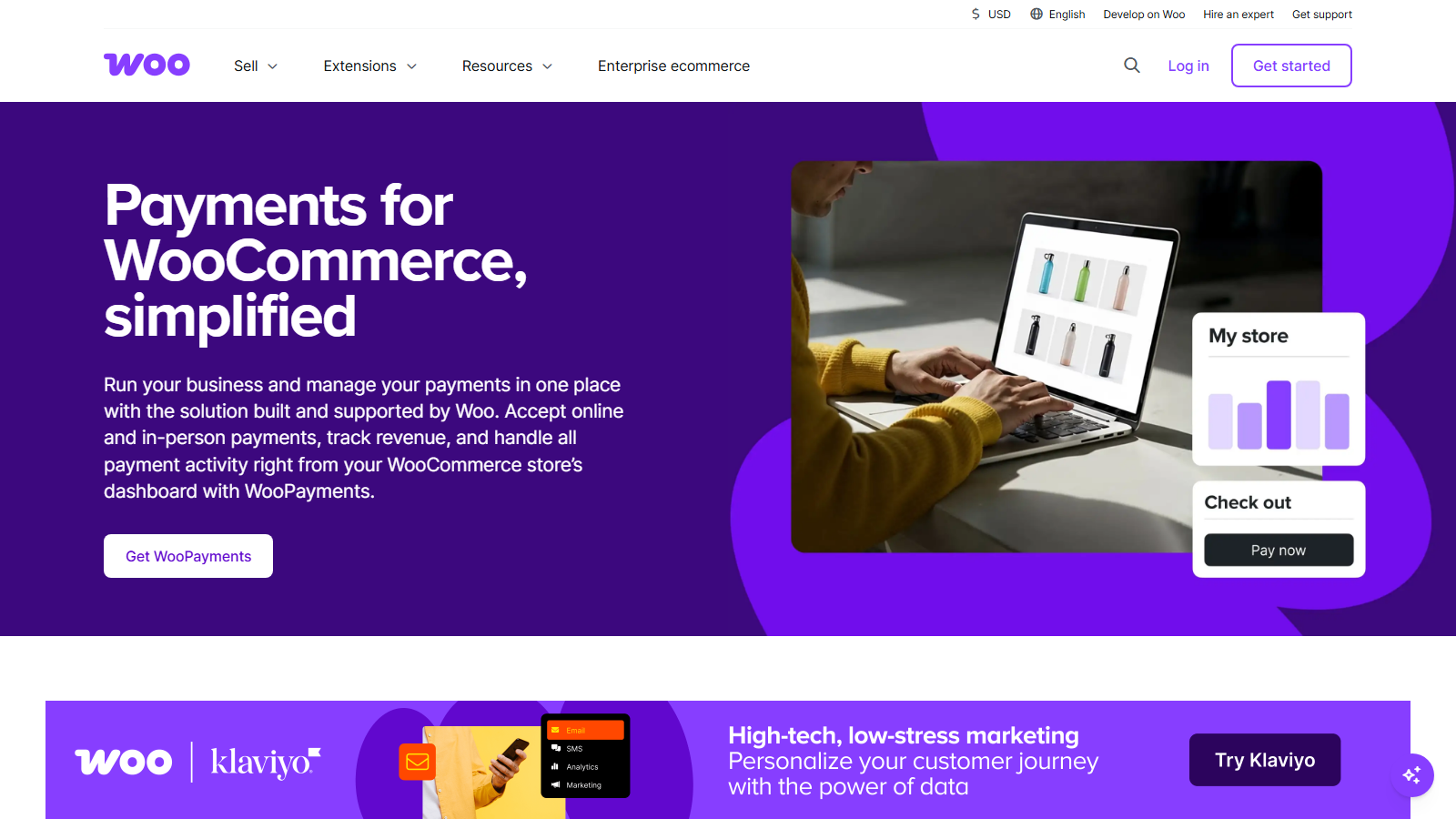
WooCommerce publishes its fees openly, which makes them easy to check against the alternatives. Domestic card payments in the US run at 2.9% + $0.30 per transaction with no monthly fee, international cards add 1.5%, currency conversion adds 2%, and a disputed transaction costs $25. In-person card payments are charged separately at 2.6% + $0.05. Those figures come from WooCommerce's own fee documentation, checked on 20 September 2026.
The trade-off is availability, and it is a hard boundary rather than a preference. WooPayments is limited to a list of supported countries, so if yours is not on it, the decision is made for you.
My Verdict
WooPayments is the right default for a WooCommerce store in a supported country. It costs the same as Stripe on domestic cards, it removes a plugin from your stack, and everything stays inside the admin you already use.
2. Stripe
Stripe is the gateway to pick when you want control over the payment experience and a genuinely global footprint, and it is the engine underneath a large share of the other options on this list.
Stripe's WooCommerce integration uses hosted card fields, so the customer stays on your checkout page. It also brings Apple Pay, Google Pay and Link into the same integration, which is where its conversion advantage actually comes from on mobile.
- Hosted fields: card details are captured on your checkout without touching your server
- Wallets included: Apple Pay, Google Pay and Link come with the same integration
- Global reach: supported in far more countries than WooPayments, which is often the deciding factor
- Direct dashboard access: you get Stripe's own reporting, fraud tools and API rather than a wrapper around them
- ACH direct debit: priced separately at 0.8% with a $5.00 cap for US bank payments
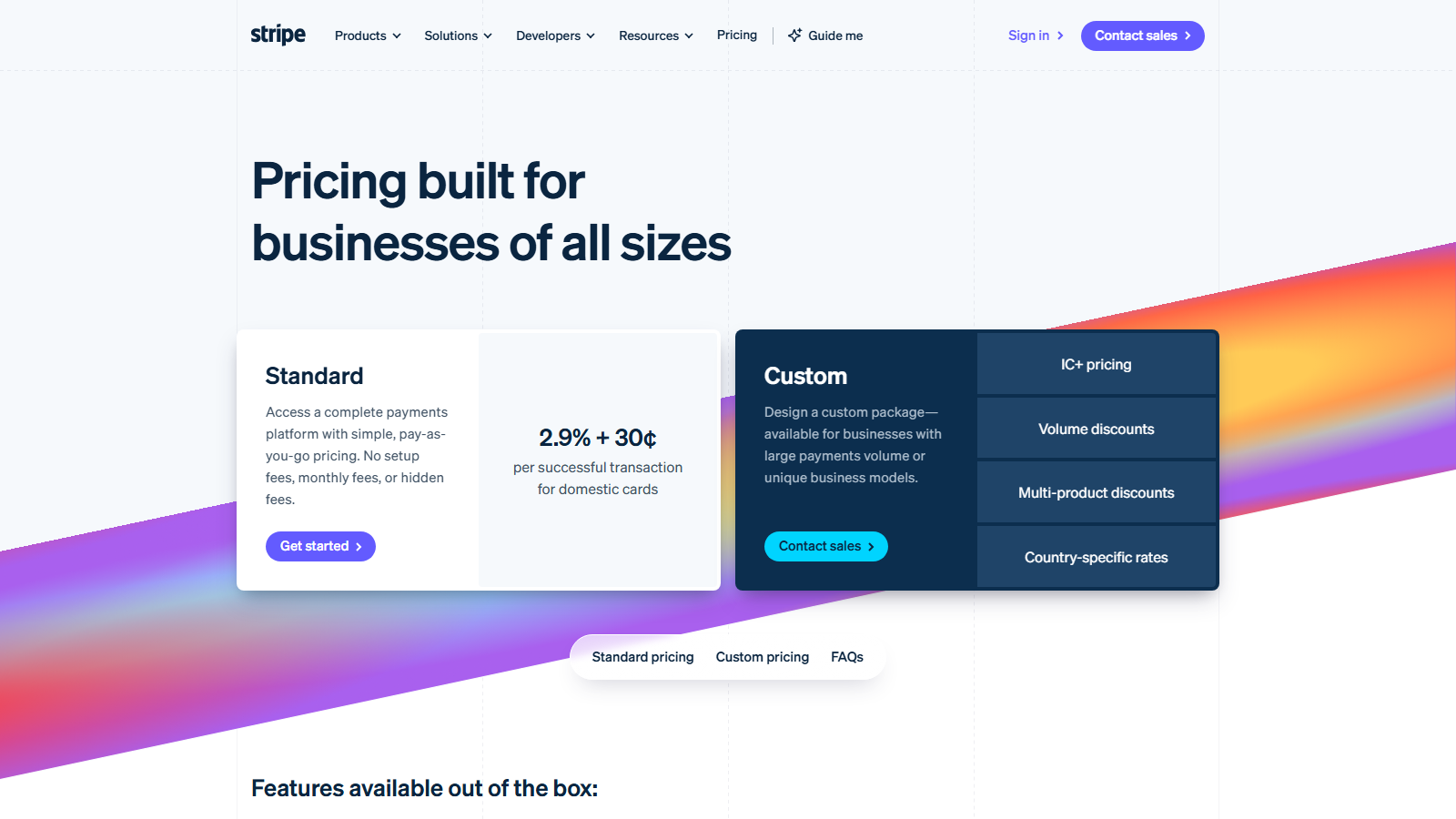
Stripe's published rate is 2.9% + 30¢ per successful transaction for domestic cards, prepaid cards and digital wallets, with no setup fee and no monthly fee, verified on stripe.com/pricing on 20 September 2026. ACH direct debit is priced separately at 0.8% with a $5.00 cap, which is worth knowing if you sell high-value items to US customers.
Stripe rewards a store that is willing to configure things, and the advantage over WooPayments mostly disappears if nobody on your side wants to touch settings beyond the defaults.
My Verdict
Stripe is the strongest choice for stores selling internationally or wanting wallet payments handled properly. Pick it over WooPayments when your country is unsupported by WooPayments or when you want direct access to Stripe's own dashboard and API.
3. PayPal
PayPal earns its place through shopper trust. Some customers will pay with PayPal on a store they have never bought from before, where they would hesitate to type a card number into the same checkout.
- Buyer familiarity: shoppers can pay from a balance or a stored method without typing card details
- Cross-border coverage: available in more countries than most card-first gateways
- Buyer protection: the dispute process is handled by PayPal, which reassures cautious shoppers
- Two integration styles: modern inline smart buttons or the older full redirect, depending on the plugin
- Fixed fee varies by currency: the percentage is comparable across markets, the fixed portion is not
PayPal's published rate for debit and credit card transactions is 2.9% plus a fixed fee, with the fixed portion varying by currency, checked on PayPal's merchant fees page on 20 September 2026. PayPal does not publish a single universal fixed figure, so treat the percentage as the comparable number and read the fixed fee for your own currency before committing.
What PayPal does to your checkout depends on which integration you use. The modern PayPal Payments plugin can render smart buttons inline and keep much of the flow in a popup, while older standard integrations still bounce the customer to paypal.com and back. Check which one your plugin installs, because the two behave very differently on mobile.
My Verdict
PayPal works best as a second payment method rather than your only one. Offer it alongside cards and you capture the shoppers who will not type a card number into a store they have not bought from before.
4. Square
Square suits stores that sell both online and in person, because it keeps one inventory and one set of sales records across both.
- One system for both channels: the same account covers your counter and your online store
- Catalogue sync: products and stock levels move between Square and WooCommerce automatically
- Hosted fields: the online checkout keeps the customer on your site
- Hardware available: readers and terminals come from the same vendor as the gateway
- Higher keyed-in rate: manual and card-on-file transactions cost more than standard online payments
Square publishes 2.9% + 30¢ for online payments taken through its API across all of its plans, and in-person card payments start at 2.6% + 15¢, checked on Square's fees page on 20 September 2026. Manually keyed or card-on-file transactions are charged at a higher 3.5% + 15¢, which matters if you take phone orders.
The WooCommerce integration syncs products and stock between the store and the Square catalogue. That sync is the reason to choose Square and also the thing to test carefully, because two systems holding stock levels will eventually disagree about something.
My Verdict
Square is the pick when a physical counter and a WooCommerce store need to share stock. For an online-only store, its online rate matches Stripe without offering a reason to switch.
5. Mollie
Mollie is built for European selling, and local payment methods are what make the case for it.
iDEAL in the Netherlands, Bancontact in Belgium, SEPA direct debit, and the major buy-now-pay-later options are all available through one integration. In markets where shoppers expect a local method, offering it decides whether the sale happens at all.
- Local methods first: iDEAL, Bancontact and SEPA direct debit are the reason to choose it
- One integration, many methods: each method is a toggle rather than a separate plugin
- Buy now, pay later included: the major BNPL options are available through the same account
- Per-method pricing: your effective cost depends on which methods customers actually use
- European focus: coverage outside Europe is thinner than Stripe's
Mollie prices per payment method rather than publishing one blended card rate, and its pricing page does not render its figures to a plain page request, so no rate is quoted here. Read the current per-method pricing on mollie.com before you budget, and note that method-level pricing means your effective cost depends on which methods your customers actually pick.
My Verdict
Mollie is worth it for a store selling into European markets where local methods dominate. Outside Europe there is no reason to choose it over Stripe.
6. Amazon Pay
Amazon Pay lets shoppers pay using the address and card already stored in their Amazon account, which removes most of the form filling from your checkout.
That is the entire argument for it, and for the right store it is a good one, because a shopper who never types an address cannot abandon on the address step. The cost is that the payment flow runs through Amazon's widgets, so part of the checkout experience stops being yours to design.
- Stored address and card: shoppers reuse what Amazon already holds, so the forms mostly disappear
- Fewer abandonment points: the address step, where many mobile checkouts lose people, is skipped
- Amazon-backed trust: the payment runs under a brand most shoppers already buy from
- Less design control: the flow uses Amazon's widgets, so part of the checkout stops being yours
- Best as a second method: it supplements a card gateway rather than replacing one
Amazon Pay charges per transaction with no monthly fee. Its published rate card did not render to a plain page request when checked on 20 September 2026, so no figure is quoted here. Check the current rate for your region on Amazon Pay's own site before deciding.
My Verdict
Amazon Pay is a useful addition when your customers are likely to hold Amazon accounts and your checkout is losing people at the address stage. It is a supplement to cards rather than a replacement.
7. Authorize.net
Authorize.net is the option for stores that already have a merchant account, or that are told by an existing payment relationship to use it.
- Gateway only: it connects to a merchant account rather than providing one, unless you buy the bundled plan
- Two price tiers: $25 a month all-in-one, or $0 a month if you bring your own merchant account
- Hosted fields available: the customer can stay on your checkout page
- Long-established: widely supported by accountants, acquirers and legacy integrations
- No conversion edge: it does nothing at checkout that the free options above do not
It is a gateway rather than a full processor, which is why it has two prices. The all-in-one plan bundles a merchant account and costs $25 a month plus 2.9% + 30¢ per transaction. If you bring your own merchant account, the monthly gateway fee drops to $0 and you pay your acquirer's rates instead. Both figures come from Authorize.net's own sign-up page, checked on 20 September 2026.
For a new small store, the monthly fee is real money against a gateway that offers no conversion advantage over the free options above. Existing banking relationships are what keep it in use.
My Verdict
Authorize.net makes sense when a merchant account already exists and the $0 monthly tier applies. Starting from nothing, the all-in-one plan costs more than Stripe or WooPayments for the same outcome.
What a gateway does to your checkout page
Every gateway you enable loads its own JavaScript on your checkout. Stripe loads its card element and fraud detection script, PayPal loads its button SDK, Amazon Pay loads its widget bundle. Enable three gateways and the checkout page carries three sets of these.
This is the trade the rate comparisons never mention, and it lands on the page where abandonment costs you the most. The gateway with the best headline rate is not always the one with the fastest checkout, and a tenth of a percent saved on the rate is a poor deal if the page takes an extra second to become interactive.
Two habits keep this under control. Enable only the methods you can show are being used, and check the payment methods report before adding a fourth. Then run your speed tests against the checkout page itself, since that is where the orders are won or lost.
Your theme carries the other half of the load, and the difference between themes here is large. A theme that ships a lean checkout template gives the gateway scripts room to run, and one that loads a page builder on every template does not. Botiga keeps its checkout template deliberately light for this reason, and our fastest WooCommerce themes comparison has the measured numbers if you want to weigh the options. Stores built around one hero product feel this most sharply, and our best single product WordPress themes roundup covers that case.
Tell customers which payments you accept
Shoppers decide whether they trust a checkout before they reach it, and most stores never tell them which payment methods they accept until the final step.
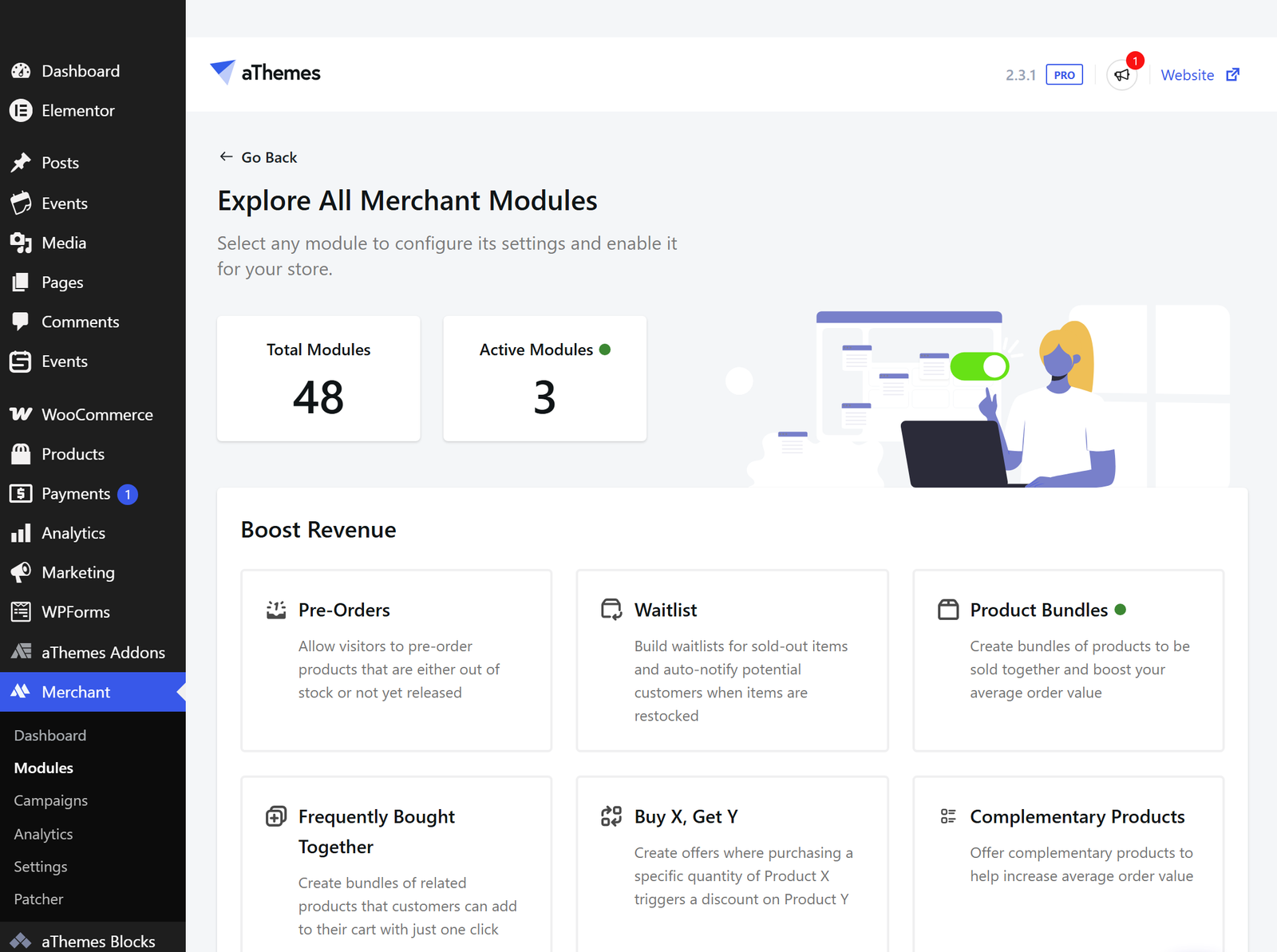
Merchant's free Payment Logos module displays the methods you accept as recognisable icons, and its free Trust Badge module adds reassurance near the checkout. Both are in Merchant's free tier, verified on WordPress.org on 20 September 2026. The free Buy Now module is worth a look alongside them, because it shortens the path from product page to checkout, which is the same problem from the other end.
Merchant does not process payments and is not a payment gateway. These modules display and reassure, and your actual processing still runs through one of the gateways above.
How to set up a gateway in WooCommerce
The process is the same whichever gateway you pick, and it takes about ten minutes once you have an account with the provider.
- Install the gateway's plugin from Plugins » Add New, unless you are using WooPayments, which is already bundled with WooCommerce.
- Go to WooCommerce » Settings » Payments and find the method in the list.
- Toggle the method on, then click Manage to open its settings.
- Connect your account, usually with an API key pair or an OAuth sign-in, and switch the gateway out of test mode once a test order has gone through cleanly.
Run one real transaction for a small amount before you announce the store. A test-mode order proves the plugin works, and a live order proves the money arrives.
FAQs about WooCommerce payment gateways
Payment questions come up constantly when a store is being set up. Here are the ones store owners ask most.
What is the best payment gateway for WooCommerce?
WooPayments is the best default for most stores in supported countries, because it matches Stripe's domestic card rate and needs no extra plugin. Stripe is the better pick for international selling or when you want direct control of the payment configuration.
Does WooCommerce charge transaction fees?
WooCommerce itself takes no cut of your sales, and the fee on each transaction goes to your payment processor instead. Some hosted store platforms add their own fee on top of the processor's, and WooCommerce does not.
Can I use more than one payment gateway in WooCommerce?
Yes, and most stores should offer at least two. Each enabled gateway loads its own scripts on the checkout page though, so add a method when customers are asking for it and leave the rest off.
Is Stripe or PayPal better for WooCommerce?
They solve different problems, so the usual answer is both. Stripe gives you a card checkout that stays on your site at a published rate, and PayPal captures shoppers who prefer not to enter card details on a store they do not know.
Do I need an SSL certificate for WooCommerce payments?
Yes, and it needs to cover the whole site rather than just the checkout. Almost every host now issues free Let's Encrypt certificates automatically, so this is a setting to confirm rather than a cost to budget for.
Final thoughts on WooCommerce payment gateways
Pick on the checkout experience first and the rate second. A gateway with hosted fields that keeps the customer on your page will usually earn more than a cheaper one that sends them away, and the difference between the top options on rate is small enough to be noise at small-store volumes.
For most stores that means WooPayments or Stripe as the card gateway, PayPal added alongside it for the shoppers who want it, and nothing else enabled until the reports show a reason. Then measure your checkout page and keep it fast, because that is the part you control.
Which gateway are you running on your store, and did the rate or the checkout flow decide it? Let me know in the comments below.

Related Posts


