You are choosing between WooCommerce and Shopify, and almost every comparison you find is written by somebody with a stake in the answer. Each platform's own page argues its own case, which is exactly what you would expect, and the SaaS blogs sitting in between mostly run a feature table and leave you to guess what it means.
This one is published on a site that builds WooCommerce themes, so here is the disclosure up front. That bias exists, and the way to handle it is to say plainly where Shopify is the better answer rather than pretending it never is. There is a section below that does exactly that.
This article is the head-to-head for somebody choosing between exactly these two platforms. If you have already decided to leave Shopify and want to weigh the whole field instead, that is a different question, and we cover it separately in our Shopify competitors roundup, linked further down.
Table of Contents
- WooCommerce vs Shopify: the short answer
- WooCommerce vs Shopify at a glance
- The difference that drives everything else
- What each one costs, honestly
- Where Shopify genuinely wins
- Where WooCommerce genuinely wins
- What switching actually costs
- Which one fits which kind of store
- FAQs about WooCommerce and Shopify
- Final thoughts on WooCommerce vs Shopify
WooCommerce vs Shopify: the short answer
Choose Shopify if you want to start selling this week without thinking about hosting, updates or security, and you are happy to pay a monthly fee for someone else to carry that. Choose WooCommerce if you want to own the store outright, keep your costs proportional to what you actually use, and you already have or can get someone comfortable with WordPress.
Both platforms will run a successful store, so your decision rests on who does the maintenance and how your costs are shaped rather than on what either one can do.
WooCommerce vs Shopify at a glance
Before the detail, here is the whole comparison in one table.
| WooCommerce | Shopify | |
|---|---|---|
| Cost model | Free software, you pay for hosting and any paid extensions | Monthly subscription from $25, billed monthly |
| Hosting | Yours to choose and pay for | Included in the plan |
| Time to launch | Longer, since hosting, theme and gateway are all your decisions | Shorter, with payments and SSL configured for you |
| Platform fee on sales | None, ever | None on Shopify Payments, third-party provider fees may apply |
| Maintenance | Yours, including core, theme and plugin updates | Handled by Shopify |
| PCI compliance | Lighter scope with hosted-field gateways, still your obligation | Carried by Shopify across the checkout |
| Support | Spread across your host, plugin authors and the community | Included with every plan |
| Extensibility | Any plugin, plus anything you can build | Whatever an app exists for |
| Content and SEO | Full control over URLs, schema and templates | Strong, within fixed structures |
| Ownership | You own the code, database and customer list | The store runs on Shopify's infrastructure |
The difference that drives everything else
Shopify is a service you rent, where WooCommerce is software you install on hosting you control. Almost every other difference between them follows from that single fact.
Renting means Shopify handles the server, the security patches, the PCI compliance and the uptime. In exchange you work within the boundaries Shopify sets, you pay every month whether you sell anything or not, and the store lives somewhere you do not own.
When you install the software yourself, you pick the host, you own the database, and nothing in the code is off limits. The other side of that is an update schedule you have to keep, a broken plugin that nobody else will fix, and no one on call at 2am except whoever you have hired.
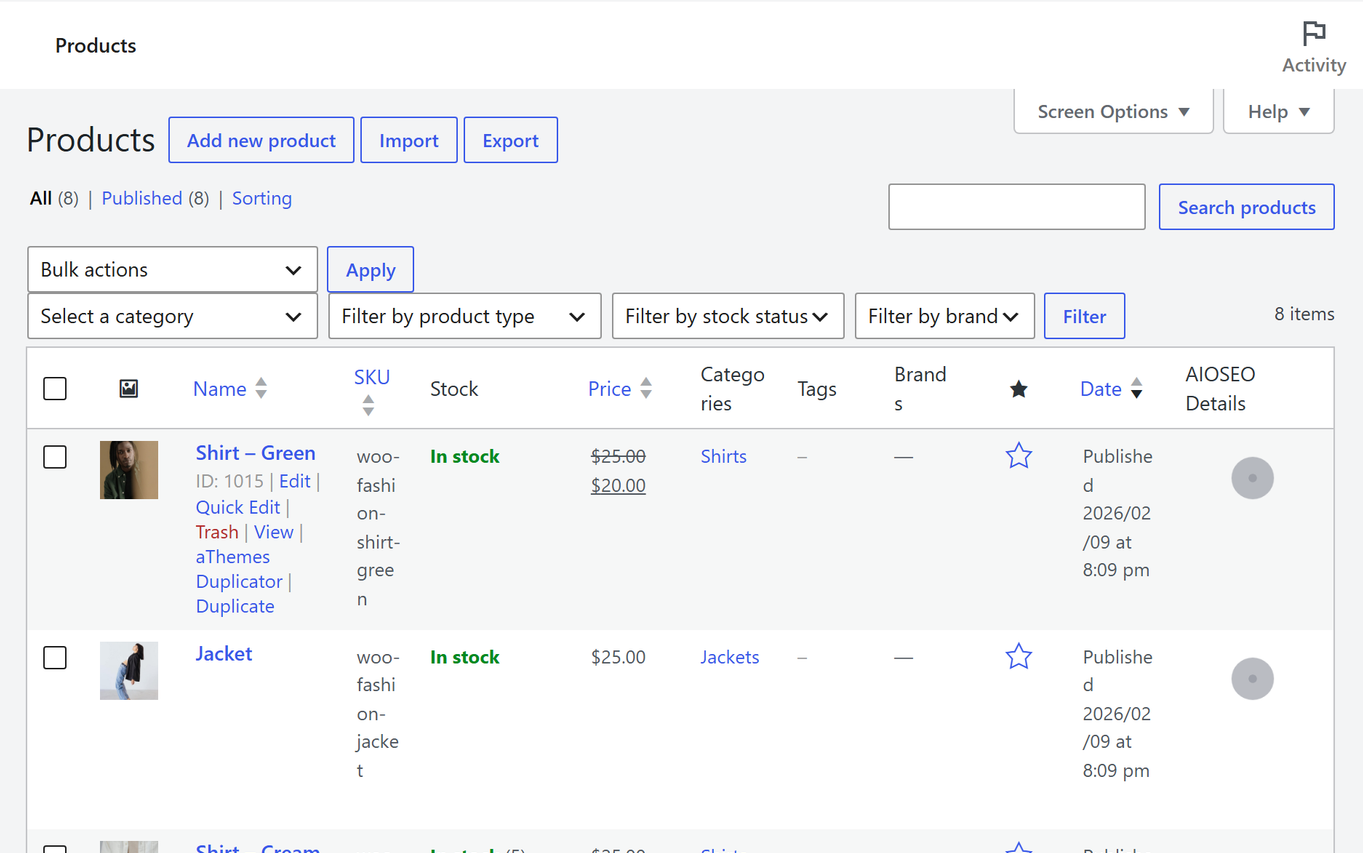
There is a second-order effect that shows up in the traffic numbers later. Since WooCommerce is a WordPress plugin, your store and your content live in the same installation, which is why WooCommerce stores tend to have better blogs. Shopify treats publishing as a feature of the store, while WordPress was built for publishing first and gained the store afterwards.
What each one costs, honestly
Comparing headline prices here is misleading, because the two platforms shape their costs differently. Shopify charges a predictable monthly figure that already includes hosting and support, while a WooCommerce bill starts much lower and then moves depending on what you add to it.
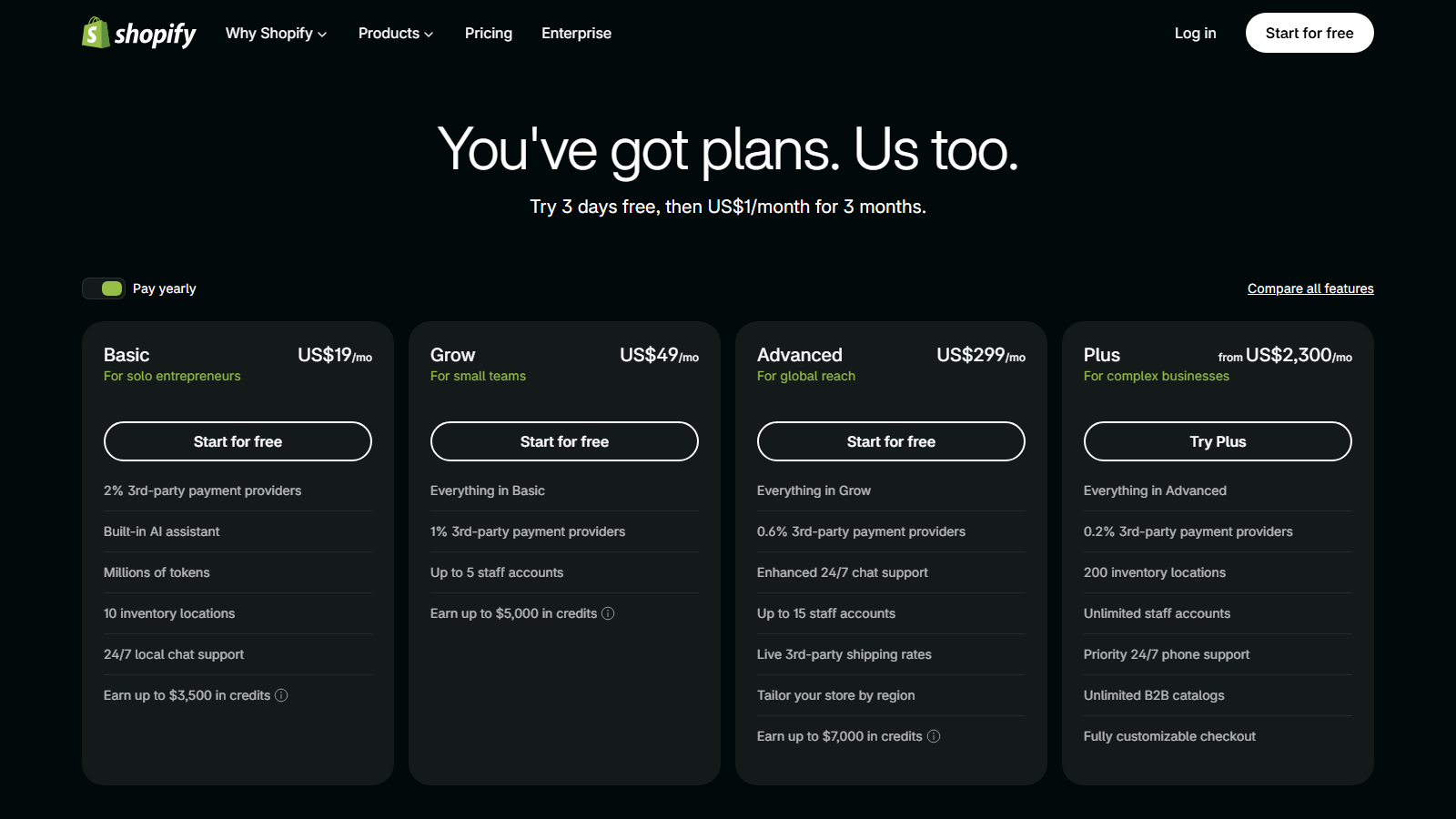
Shopify publishes its plans openly, which makes the fixed side of the comparison easy to pin down. Checked on shopify.com/pricing on 20 September 2026, Basic is $25 a month billed monthly or $19 a month billed yearly, Grow is $65 or $49, Advanced is $399 or $299, and Plus starts at $2,300 a month. A POS Pro add-on for physical locations costs $89 a month per location. Those figures include hosting, SSL, security and support.
WooCommerce itself is free, and so is the WordPress it runs on. Your costs are hosting, a domain, and any paid extensions your store genuinely needs. A small store on a free theme and free plugins pays for hosting and a domain and nothing else, which is why the floor is so much lower. The ceiling is a different story, because a store that needs subscriptions, bookings and advanced shipping buys three extensions that each renew annually.
One cost difference is structural rather than a matter of degree, and it is worth reading carefully before you commit. Shopify's own pricing FAQ confirms that third-party transaction fees may apply when you use a payment provider other than Shopify Payments. WooCommerce charges nothing on your sales under any circumstances, so the only percentage you pay is your processor's.
The honest summary is that WooCommerce is cheaper for a small or simple store and the gap narrows as the store gets more specialised. Anyone telling you WooCommerce is always cheaper is comparing a free plugin against a paid platform and ignoring the hosting bill, the extensions and the time.
Where Shopify genuinely wins
Shopify is better than WooCommerce at several things, and if any one of them is your binding constraint, Shopify is the right call regardless of what the rest of this article says.
- Time to first sale: a Shopify store can be taking orders the same day, with payments, SSL and a working theme configured out of the gate, while a WooCommerce store needs hosting chosen, WordPress installed, a theme set up and a gateway connected first
- Nothing to maintain: Shopify patches itself, so nobody on your side has to think about a core update breaking a plugin, a plugin going unmaintained, or a vulnerability disclosure landing on a Friday
- Support you can call: Shopify's plans include support as part of the fee, where WooCommerce support is spread across your host, the plugin authors and the community, which works until an outage crosses two of them and neither owns it
- Compliance handled: Shopify carries PCI compliance for you across the whole checkout, and on WooCommerce you inherit a lighter version of that obligation that modern hosted-field gateways keep small but never remove
- Predictable costs: one monthly line item is easier to budget and easier to explain to somebody else than a hosting bill plus four renewing extension licences
If you are a solo founder whose scarcest resource is attention, those five points are worth more to you than the money you would save, and choosing on that basis is sound reasoning.
Where WooCommerce genuinely wins
The case for WooCommerce rests on ownership and on cost shape, and it gets stronger the longer the store runs.
- You own it: the database, the code and the customer list sit on infrastructure you control, you can move all of it to a different host in an afternoon, and no platform can change its terms in a way that strands your store
- No platform cut: WooCommerce takes nothing from your sales under any circumstances, so you can use whichever payment processor gives you the best rate without being penalised for the choice
- The plugin library: WordPress has a plugin for almost everything, a large share of them free, and a single free plugin like Merchant bundles 16 store modules that would each be a paid app on a hosted platform
- Content and SEO: WordPress is a publishing platform that grew a store, so content marketing is native rather than bolted on, and for a store competing on organic traffic that difference compounds
- Design freedom: every template is editable and themes are free or one-time purchases rather than a monthly cost, and our free ecommerce WordPress themes roundup shows how far the free route goes

Speed belongs here too, with a caveat worth stating plainly. A well-built WooCommerce store on good hosting can outperform Shopify, while a badly built one on cheap shared hosting will lose badly, and the difference comes down to decisions you are the one making. Our fastest WooCommerce themes tests show what the front-end half of that looks like.
What switching actually costs
Nobody costs the migration, which is strange, because the switching cost is usually what decides whether a move is worth making at all. Here is what moves cleanly in each direction and what does not.
| What you are moving | Shopify to WooCommerce | WooCommerce to Shopify |
|---|---|---|
| Products and variants | Transfers via CSV export and the WooCommerce importer, images included | Transfers via CSV, variant structures may need reworking |
| Customers | Transfers, but passwords never do, so everyone resets on first login | Same, passwords do not transfer |
| Past orders | Transfers as records with an importer, though order status history is often flattened | Transfers as records, with the same flattening |
| Content and blog posts | Transfers, and usually improves, since WordPress is the better publishing tool | Transfers, but expect to lose structure and any custom post types |
| URLs and redirects | Rebuild required, because the URL patterns differ, so a redirect map is mandatory | Rebuild required, same reason |
| Apps and plugins | Stranded, every app must be re-sourced as a WordPress plugin | Stranded, every plugin must be re-sourced as a Shopify app |
| Theme and design | Rebuild, nothing transfers | Rebuild, nothing transfers |
| Payment history and subscriptions | Stranded, active subscriptions have to be recreated and customers re-authorised | Stranded, same problem |
| SEO rankings | At risk during the URL change, recoverable with a correct redirect map | Same risk, same mitigation |
Read that table as three tiers. Your data mostly comes across, the design never does, and anything involving a recurring authorisation is where migrations actually get stuck. A catalogue store migrates over a weekend, while a subscription store migrates over months and loses customers on the way. That is why the decision to switch is best made before the subscriptions start rather than after.
The redirect map deserves a warning of its own, because it is the single most common reason a migrated store loses traffic. It is also entirely avoidable, with a spreadsheet mapping every old URL to its new one before launch day.
Which one fits which kind of store
Rather than a winner, here are the situations and the answer for each.
- A first store, solo, selling a handful of products: Shopify, unless you already know WordPress, because the setup time you save is worth more at this stage than the fee
- A content business adding products: WooCommerce, since your traffic already comes from WordPress content and the store belongs in the same installation
- A store where organic search is the main channel: WooCommerce, because the publishing side is stronger and you control every technical detail search engines care about
- A store with unusual requirements: WooCommerce, because you can build what nobody sells, where on Shopify you are limited to what an app already exists for
- A team with no technical member and no budget to hire one: Shopify, because ownership is not worth much if nobody on the team can perform an update
- A high-volume store on thin margins: run the arithmetic both ways, because at volume the Advanced or Plus fee plus app subscriptions can exceed good managed WordPress hosting plus extensions
If you are weighing a third option as well, our Webflow vs Shopify comparison covers a different part of the same decision, and our Shopify competitors roundup compares seven alternatives if you have already decided to leave.
FAQs about WooCommerce and Shopify
These two come up together constantly, and the same handful of questions follow. Here are direct answers.
Is WooCommerce better than Shopify?
Neither is better in general. WooCommerce is better when you want ownership, lower fixed costs and full control, and Shopify is better when you want speed to launch and no maintenance burden.
Is WooCommerce cheaper than Shopify?
For a small or simple store, yes, because the software is free and you only pay for hosting and a domain. The gap narrows once you need several paid extensions, so compare against your actual requirements rather than the headline prices.
Can I move my store from Shopify to WooCommerce?
You can, and most of the data comes across. Products, customers, orders and content all transfer, usually by CSV. Your theme and your apps do not transfer, and you need a redirect map from the old URLs to the new ones to protect your search rankings.
Which is easier for beginners?
Shopify, without much argument. It configures hosting, payments and security for you, while WooCommerce asks you to make those decisions yourself before the store exists.
Which is better for SEO, WooCommerce or Shopify?
WooCommerce gives you more control, because WordPress exposes URL structures, schema and technical settings that Shopify keeps fixed. Shopify sites rank perfectly well, so treat this as an advantage in ceiling rather than a disqualification.
Final thoughts on WooCommerce vs Shopify
The decision usually turns on which resource you have more of right now. Shopify takes a monthly fee and hands back the maintenance, the compliance and the support, so what you spend is money. With WooCommerce you spend attention instead, and what you get for it is ownership, a much lower floor, and no ceiling on what you are allowed to change.
If you genuinely have neither to spare, Shopify is the safer starting point, and the migration path to WooCommerce stays open for as long as you are not selling subscriptions. That is the one decision worth making early, because subscriptions are what makes a later move expensive.
Which way are you leaning, and what is the one thing making the decision hard? Tell me in the comments below.

Related Posts